How to Choose the Right LED Aluminum Channel Size for Your LED Strip
Choosing an LED aluminum channel starts with more than matching the outside width to the width of your LED strip. Check the internal strip space, connector, wiring, diffuser and installation position before selecting a profile.
1. Start with the LED Strip Width
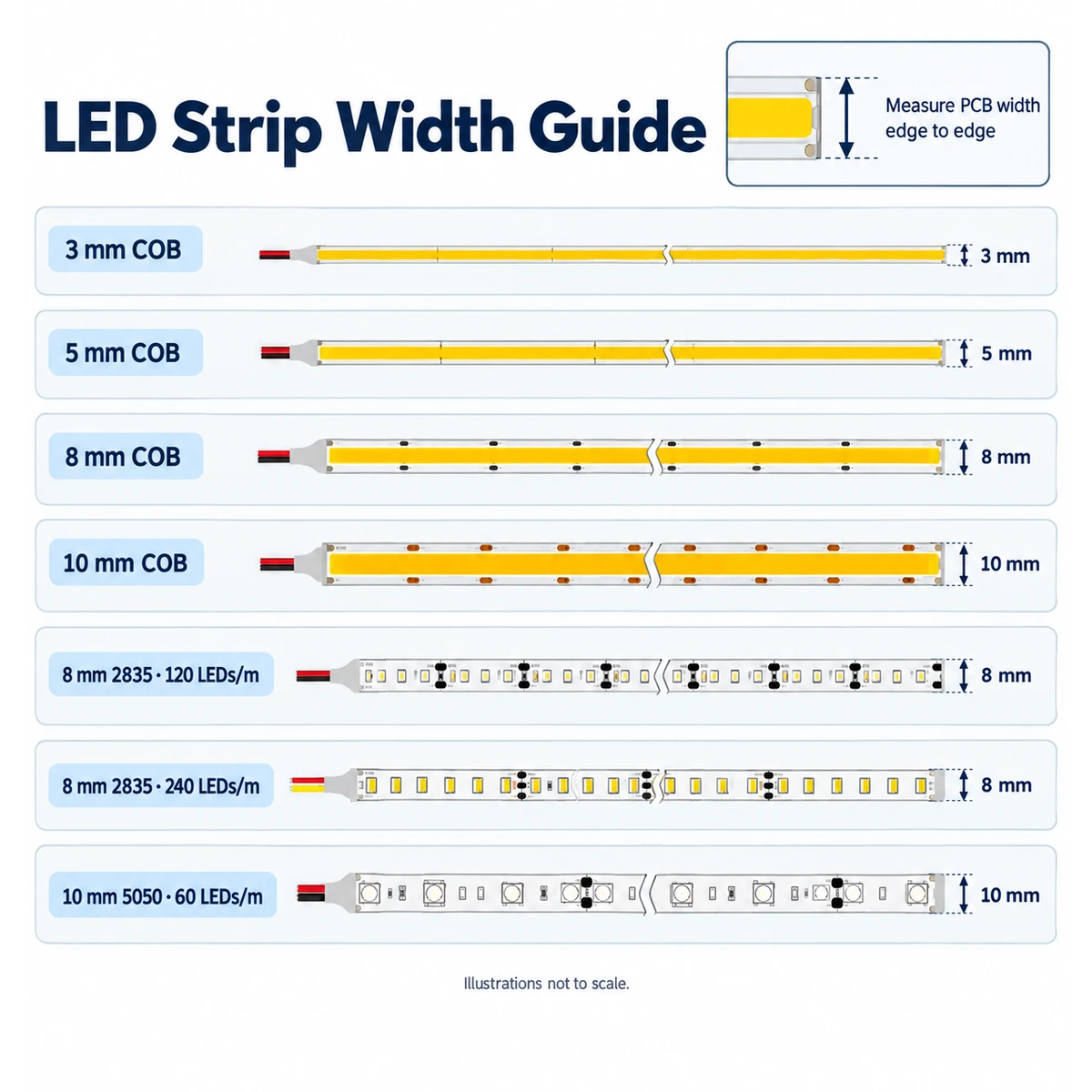
Measure the PCB from one edge to the other. COB strips are available in widths such as 3 mm, 5 mm, 8 mm and 10 mm; SMD strips also come in different widths. Use the actual strip specification, rather than assuming its width from the LED type.
Compare the PCB width with the usable mounting area inside the channel. Allow for installation and check the connector as well as the strip itself.
2. Check the Internal Usable Width
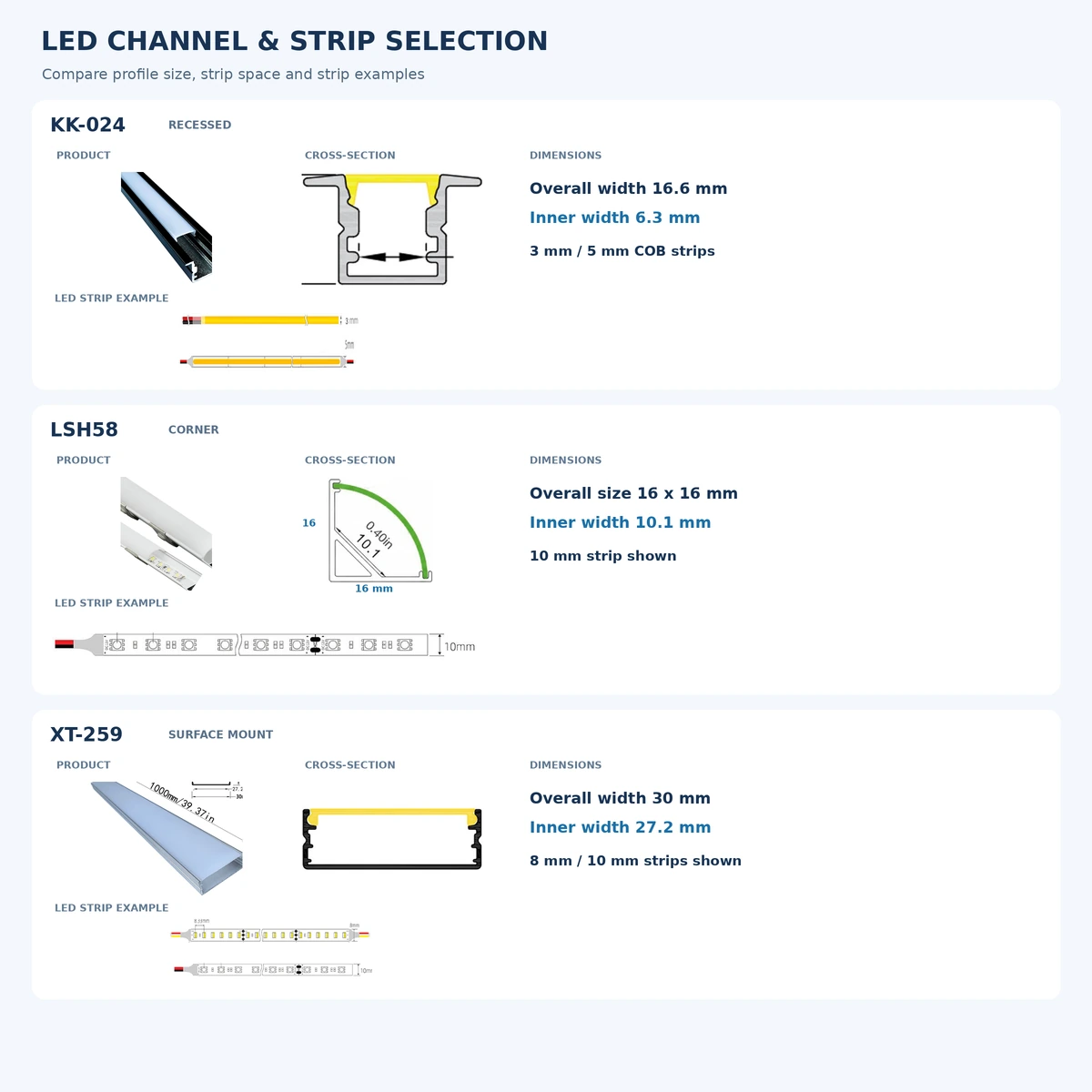
Outside width is not the same as the space available for the strip. Side walls, cover grooves and, on recessed profiles, mounting flanges all affect the dimensions.
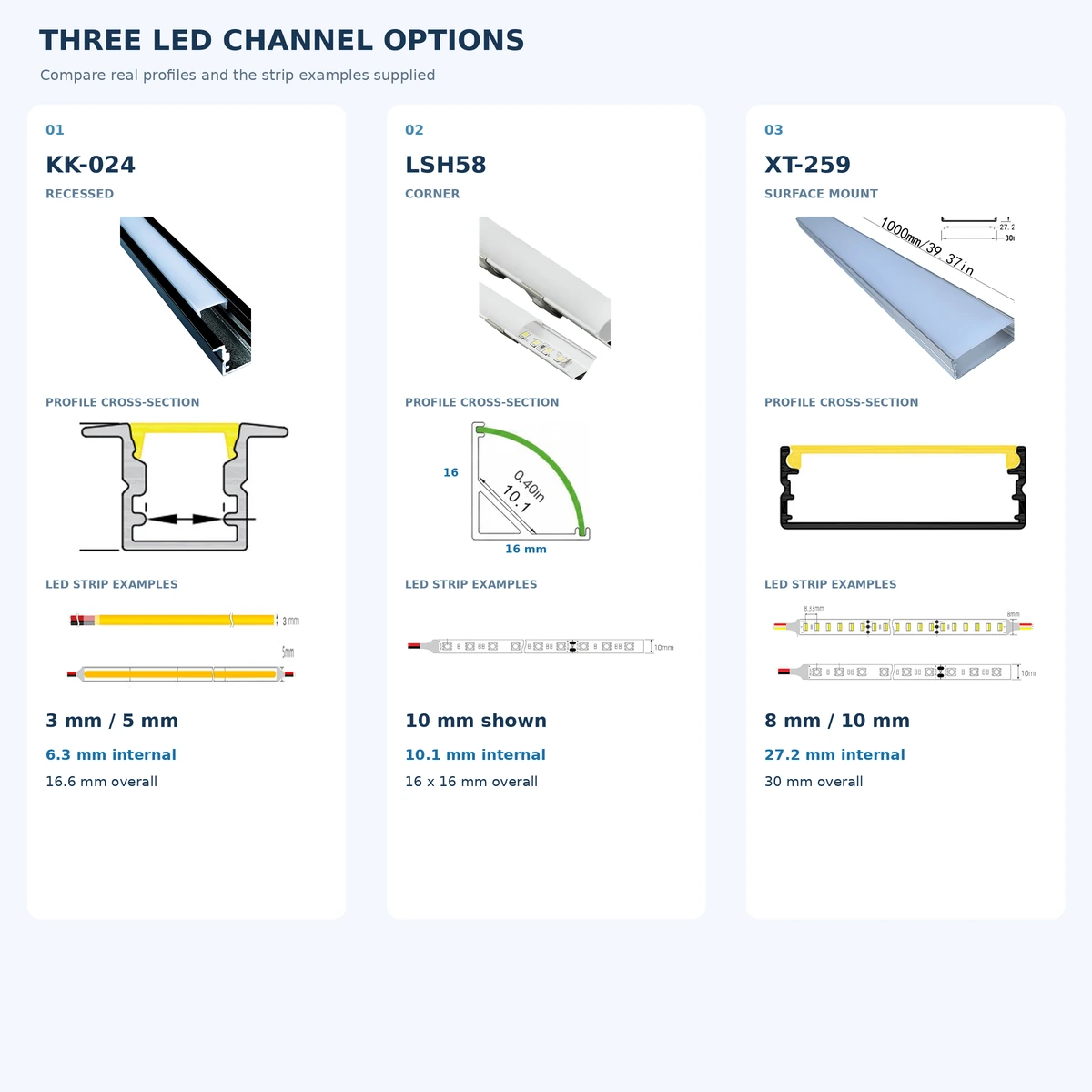
KK-024 is shown with an overall width of 16.6 mm and an internal width of 6.3 mm. The 3 mm and 5 mm strips are narrower than that internal width; check the complete assembly including its connector and wiring.
3. Allow Space for Connectors and Wiring
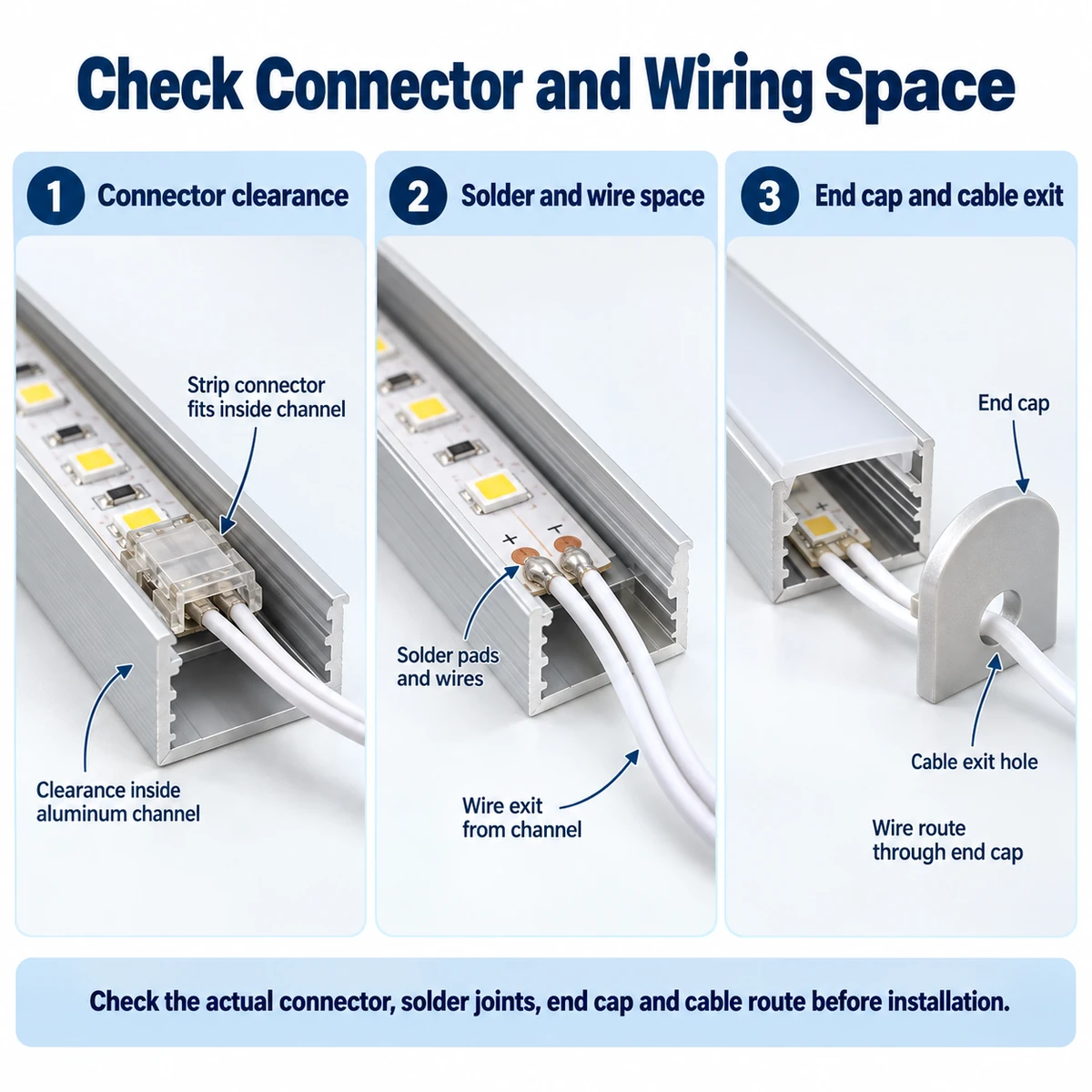
A strip can fit while its connector is too wide or too high. Check the connector body, solder joints, wire insulation and clearance under the diffuser. Check the end cap and cable exit position as part of the assembly.
If a connector interferes with the profile, consider another connection method or a different channel after checking the actual parts.
4. Choose the Diffuser Cover for the Desired Appearance
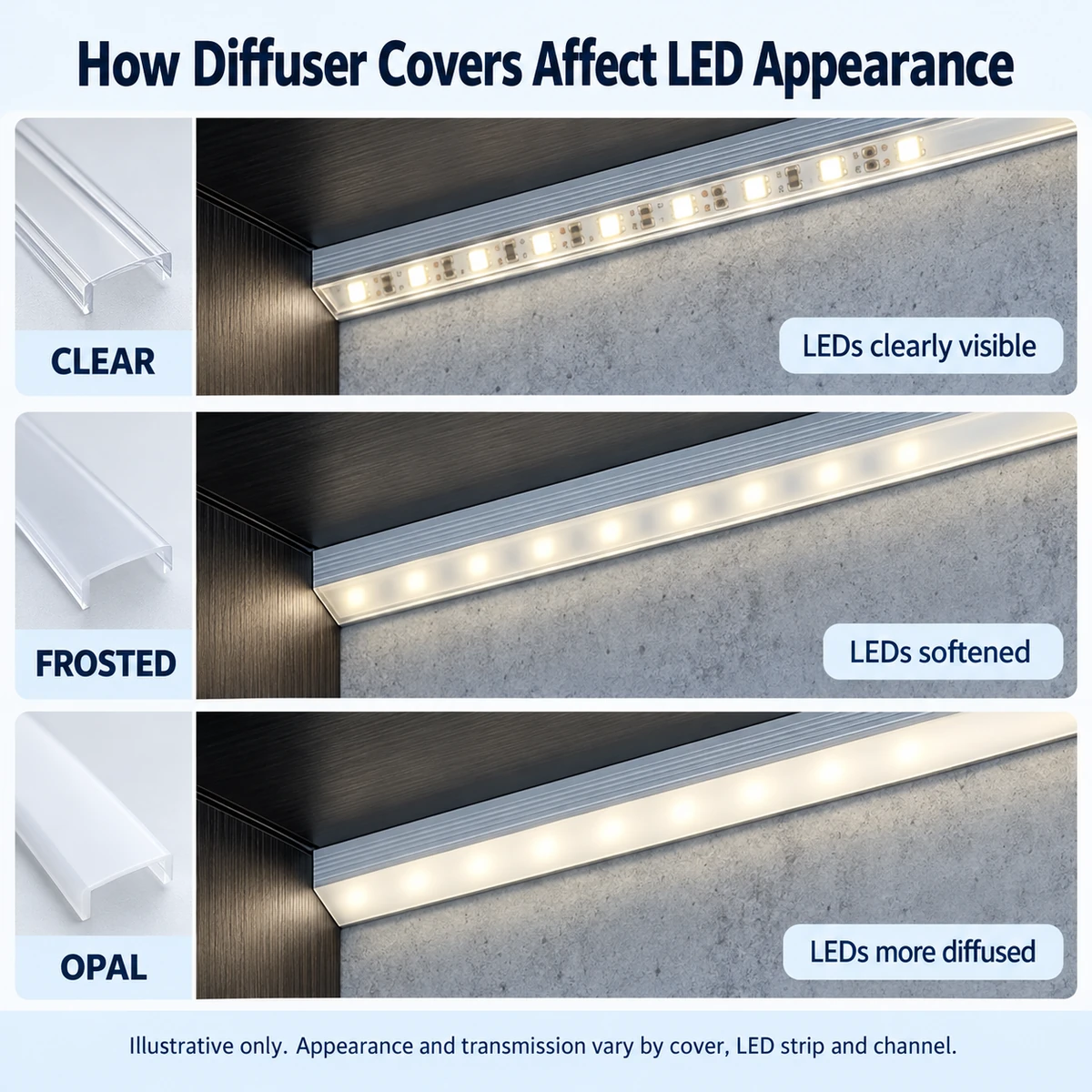
A clear cover makes individual LED chips easier to see, while frosted and opal covers can soften their appearance. The result depends on the actual cover, LED spacing and distance from the strip to the cover.
For reference, transparent PC covers may transmit approximately 80–95% and opal frosted PC covers approximately 60–65%, depending on the material and specification. These are reference ranges. Verify the cover specification and test the complete assembly when output or appearance matters. A cover alone cannot guarantee a dot-free result.
Explore our custom LED aluminum profile solutions for more cover options.
5. Confirm the Installation Space
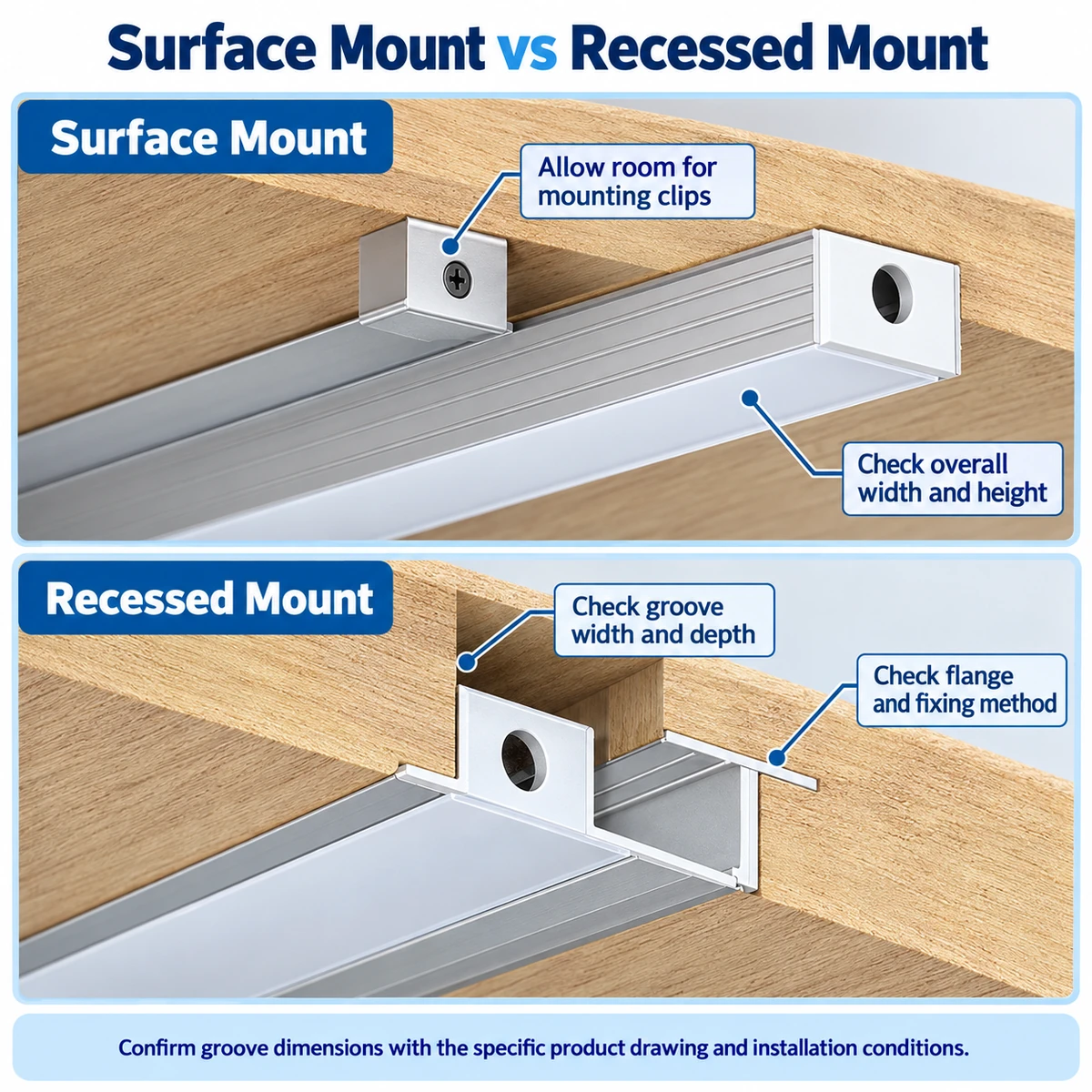
For surface mounting, check the overall width and height, mounting clips, end caps and cable exit. Allow space for installation and access to the diffuser.
For recessed mounting, check groove width and depth, the flange and the fixing method. The overall profile width is not necessarily the required groove width. Follow the specific product drawing and site conditions before cutting.
6. Compare Three Selection Examples
KK-024 — recessed: 16.6 mm overall width and 6.3 mm internal width. Examples include 3 mm and 5 mm COB strips.
LSH58 — corner: 16 × 16 mm overall and 10.1 mm strip mounting width. A 10 mm strip is shown; check the actual connector and assembly.
XT-259 — surface mount: 30 mm overall width and 27.2 mm internal width. The examples show 8 mm and 10 mm strips. Consider the required layout and mounting space.
Need Help Choosing an LED Aluminum Channel?
Send us your LED strip width, connector details, installation location, available space and preferred lighting effect. Our team can help you check a suitable channel size for your project.
Contact Union Opto | Recessed profiles | Surface mount profiles | Pricing guide